Deployment Guide: Deploy SKYVVA Picklist Values via Workbench for Version 2.51 and Patches #
To simplify setup, SKYVVA picklist values can now be deployed in bulk via Workbench rather than manually.
Steps to Deploy #
Step 1: Download the Deployment Package
Please use the following link to download the deployment package: skyvva-picklist-v2.51.zip👉 https://drive.google.com/file/d/1WPSaV6wKoFQDNwZ79I79RaPWcaiPyw_y/view
⚠️ Make sure the file is fully downloaded and saved locally before proceeding.
Step 2: Log in to Workbench
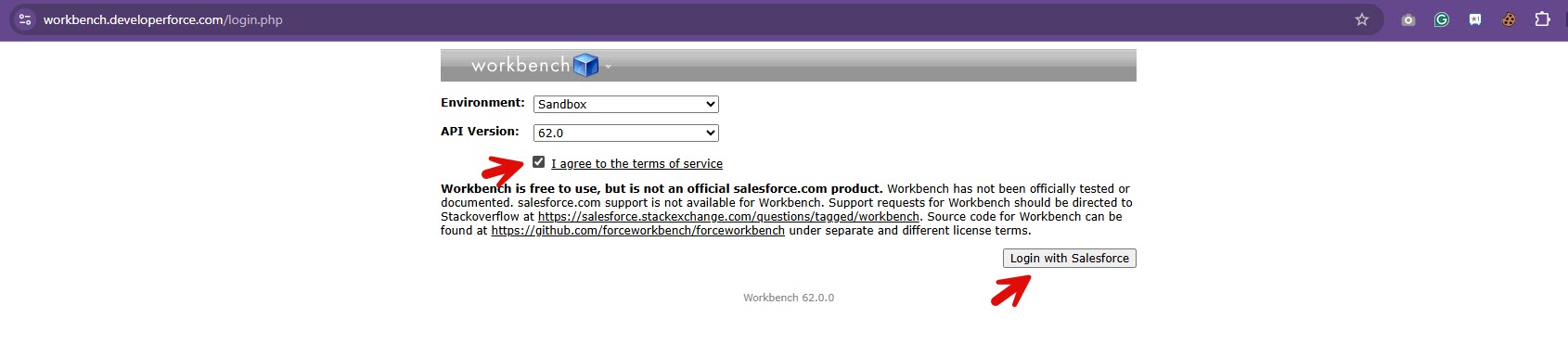
- Go to the following URL 👉 https://workbench.developerforce.com/login.php. Then select your Environment and API version, and click the ‘Login with Salesforce‘ button.
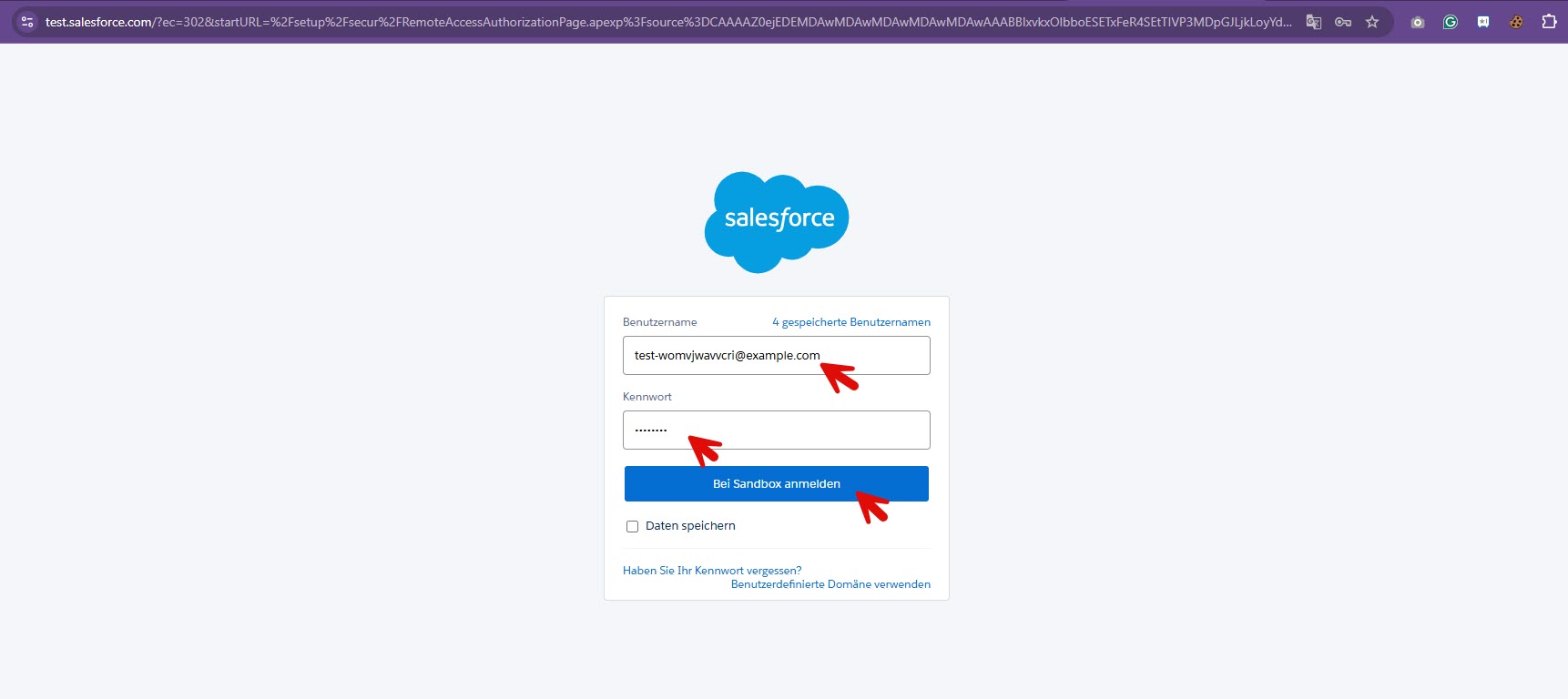
- Enter your credentials and Login
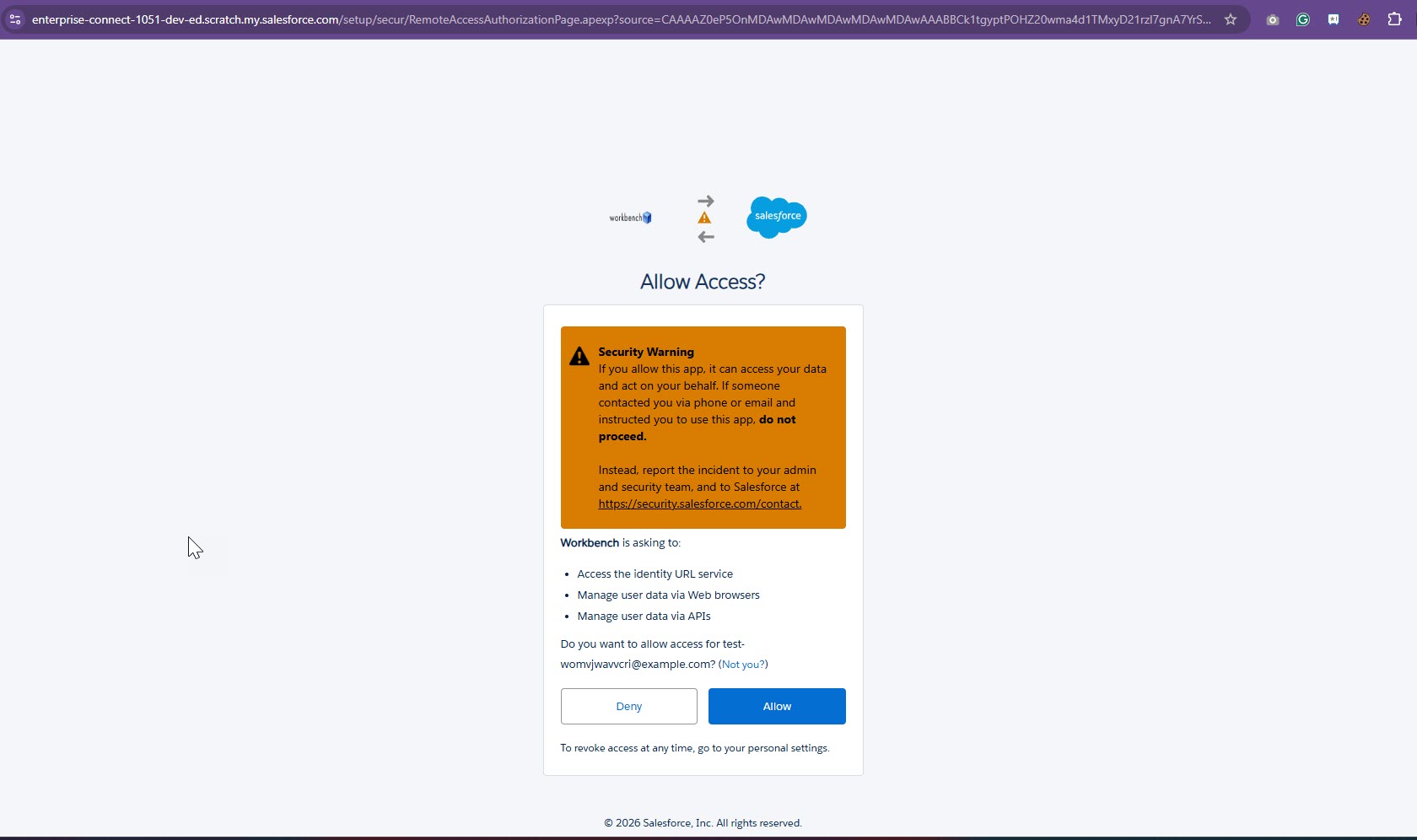
- Authorize access between Workbench and Salesforce by clicking the ‘Allow‘ button.
Step 3: Navigate to Deployment
-
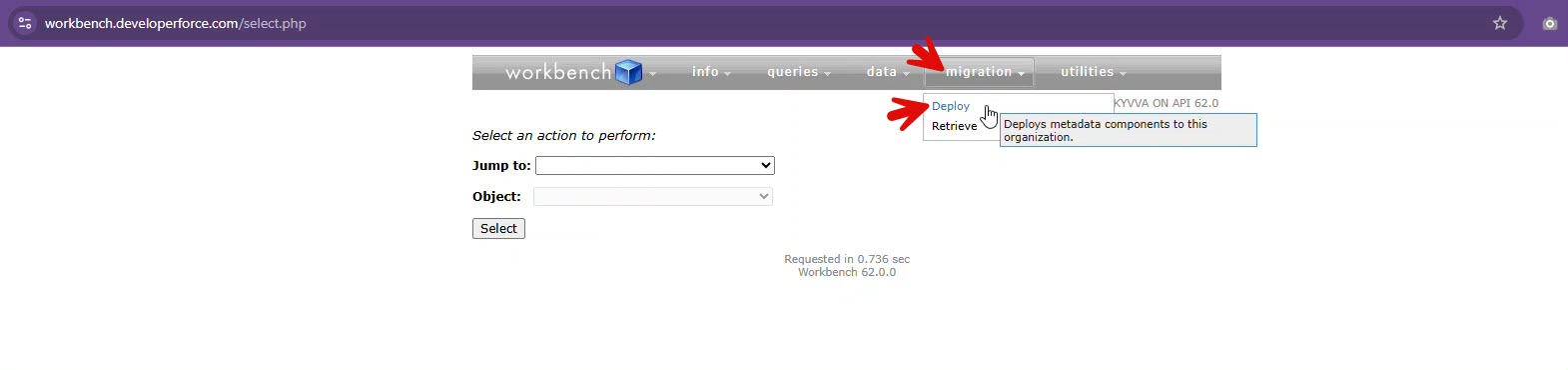
Go to Migration
-
Select Deploy
Step 4: Upload Deployment Package
-
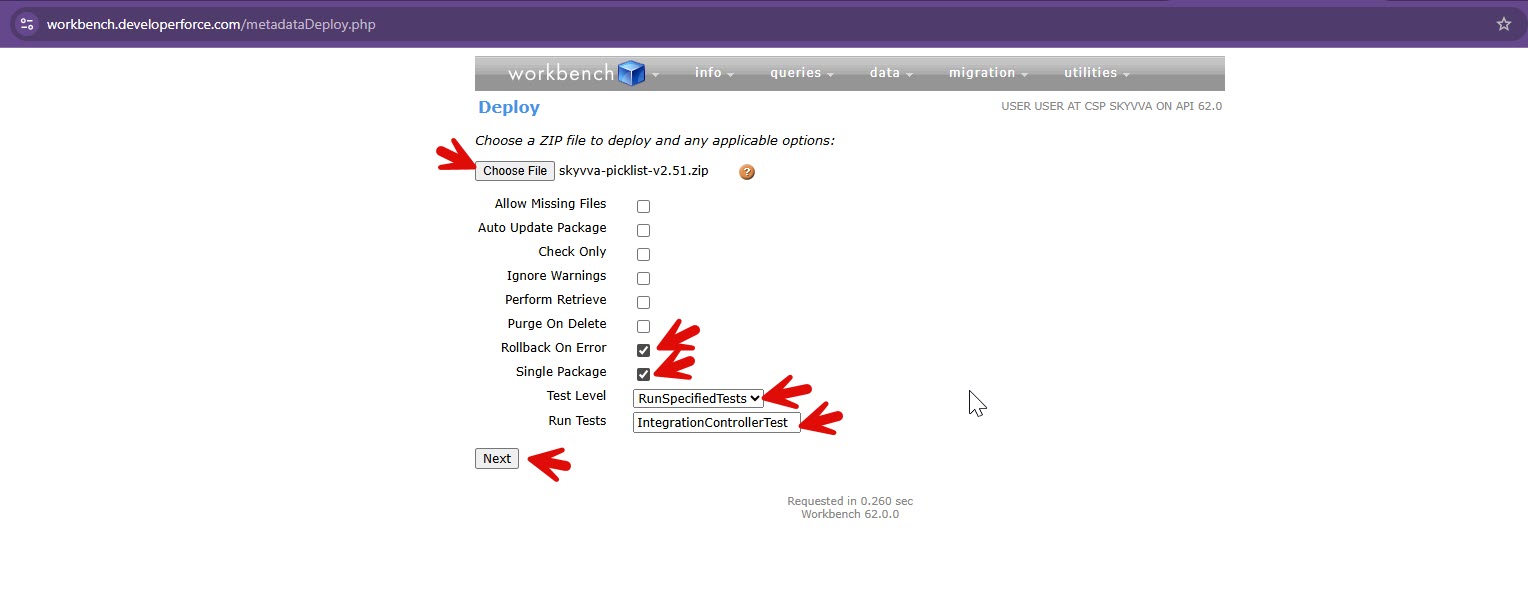
Upload the provided
skyvva-picklist-v2.51.zipfile -
Ensure the following options are selected:
-
✅ Rollback On Error
-
✅ Single Package
- Test Level: RunSpecifiedTests
- Enter the test class name on Run Tests
- In this example, use:
IntegrationControllerTest - If multiple test classes are required, separate them with commas (
,) Example:IntegrationControllerTest,(OtherClassNameTobeRun)
-
-
Click Next
⚠️ Note: Theskyvva-picklist-v2.51.zip file is attached for this deployment.
Step 4: Deploy the Package
-
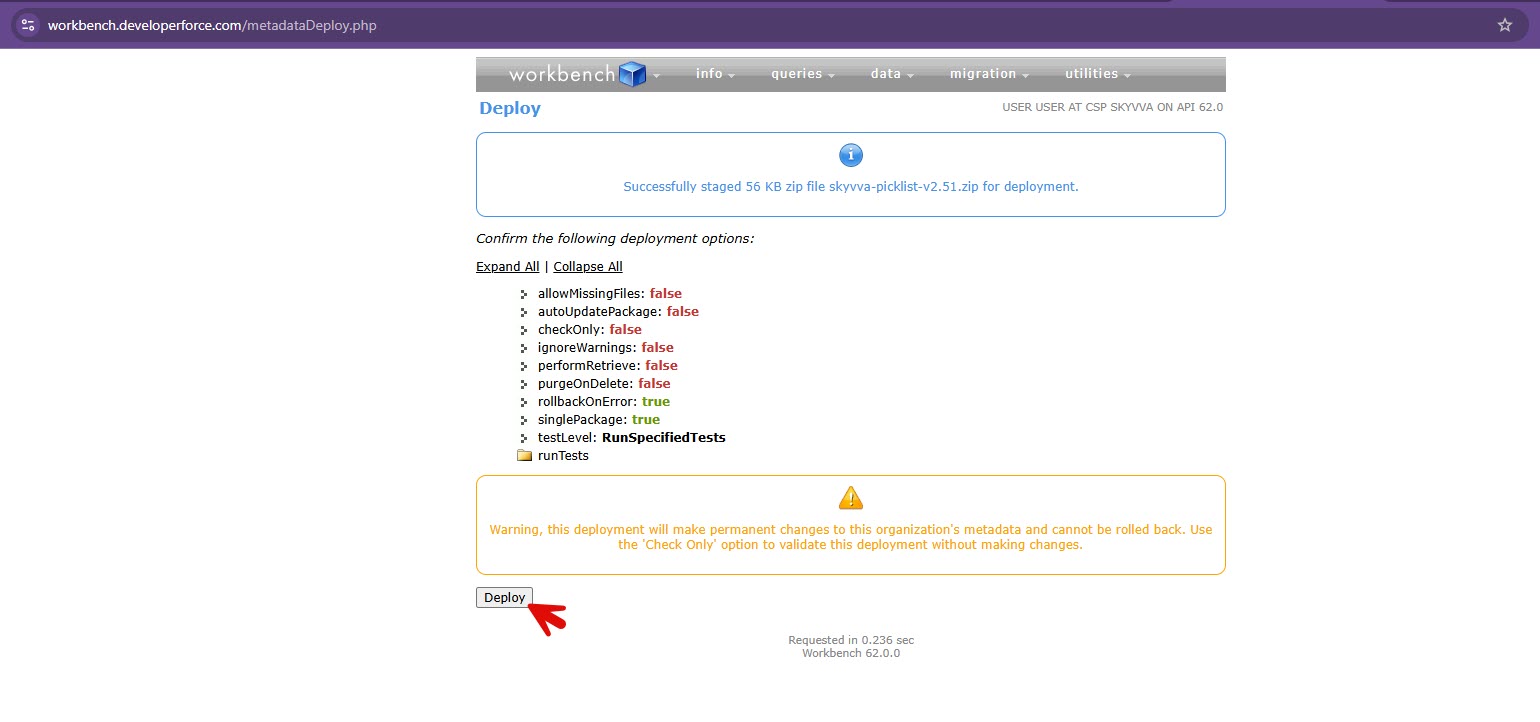
After clicking Next, a warning message may appear (this is expected)
-
Click Deploy to proceed
✅ Verification
-
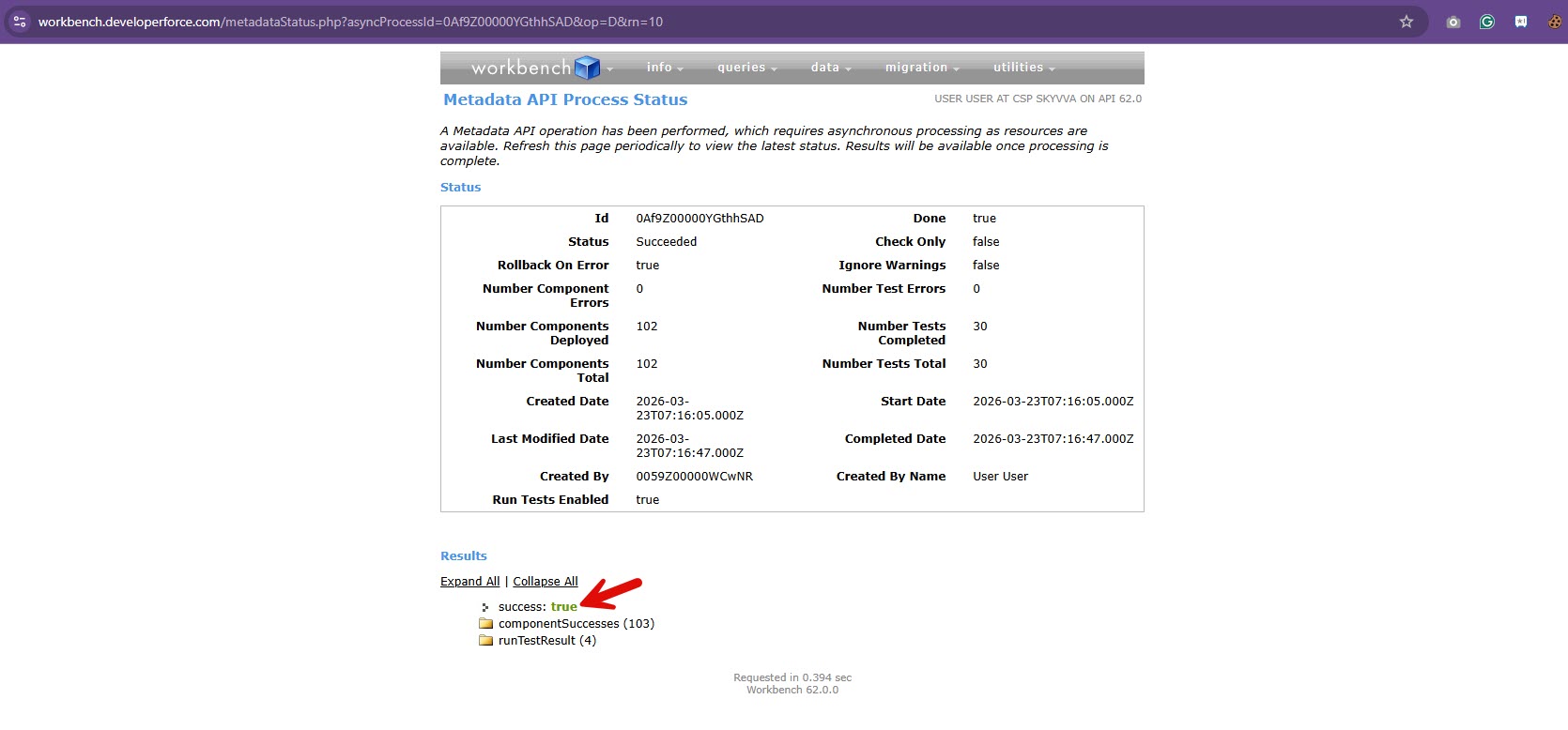
Once the deployment is complete, check the result
-
If you see
Success: trueThe deployment was successful
🎉 All missing SKYVVA picklist values should now be available in your Salesforce Org.


