
Introduction #
Pre-required #
- Create an Integration
- Create an Adapter (e.g. SAP CPI Adapter)
- Create an Outbound Interface (Use API Version V3)
- The Configuration of Execute callout records by using Copy Node on the Mapping
Create an Integration
Create new Integration by following the guide, the link is given below:
– What is an Integration and how to create it?
- Create an Adapter (e.g. SAP CPI Adapter)
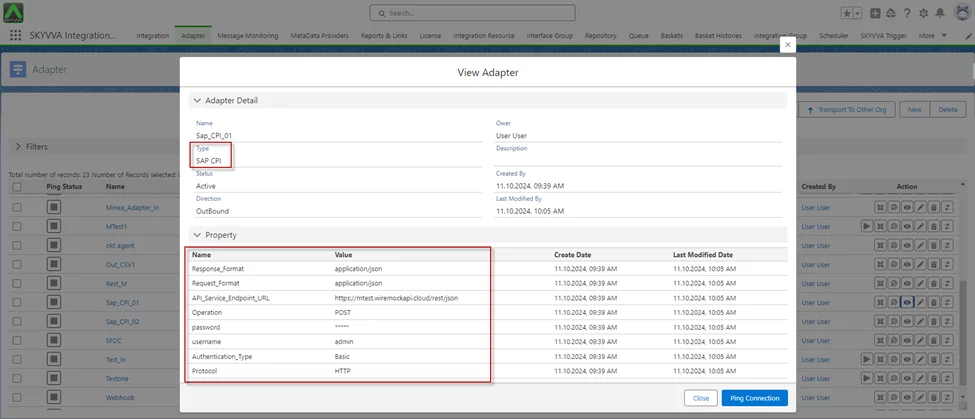
- Create an Interface
- To create the interface need to follow this guide
– What is an Interface and How to create it?
- Create an Outbound Interface
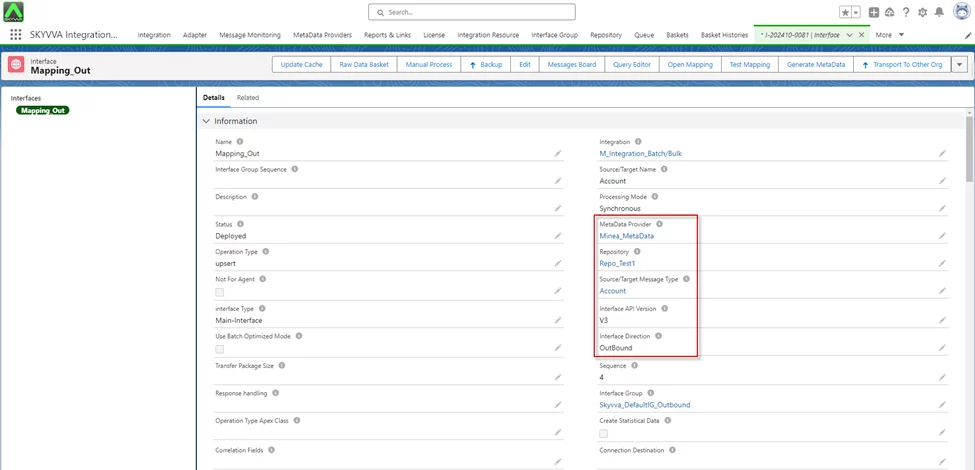
- Do Mapping
- Right-click on the node you want to copy
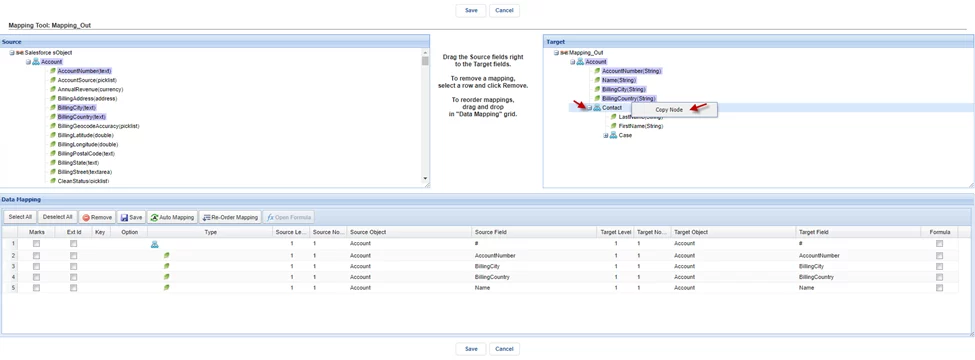
- Click on the Copy Mode, it alerts the pop-up screen and you can rename that node based on the payload you want to generate.
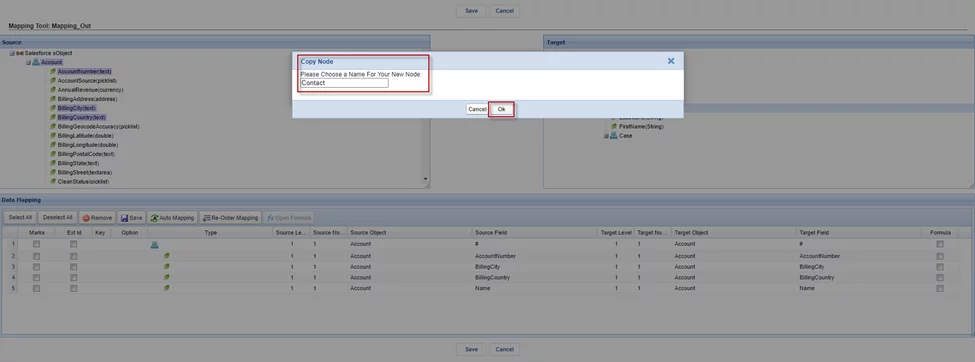
- After clicking ‘Ok,’ we received the new Node containing all the same fields as that node
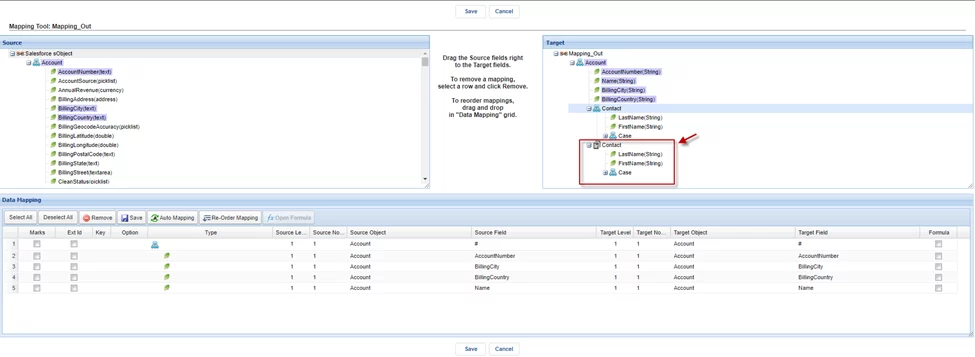
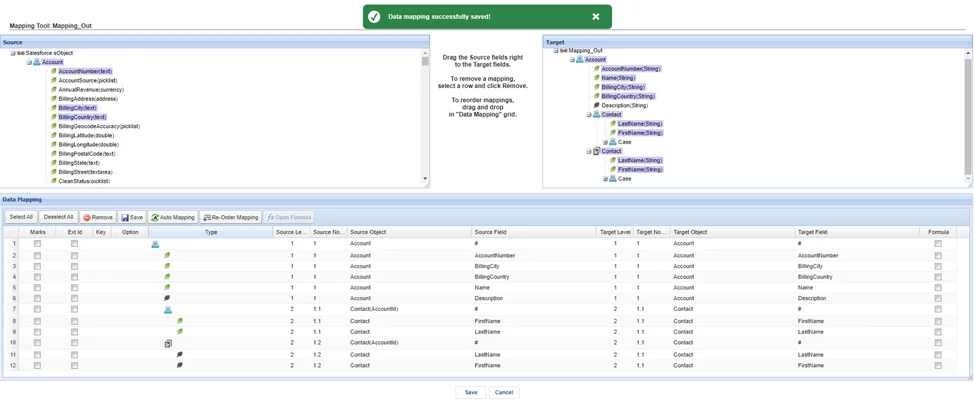
- After that, you can map the fields from the Source by dragging and dropping the fields onto the Target.

- Click on the Save button
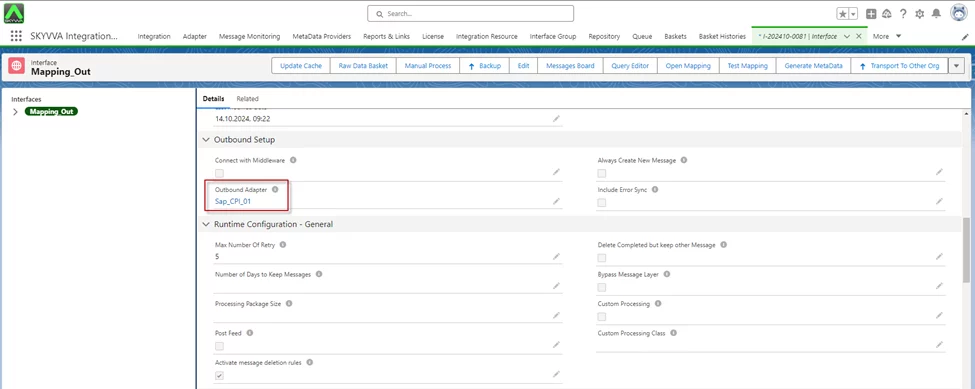
- Go to Interface
- Link Adapter on the interface
[su_box title=”Example:” box_color=”#2a8af0″ title_color=”#000000″]I have an account record and have many contacts that look the same but I just want to execute a callout of the records of two contacts by the last CreateDate[/su_box]
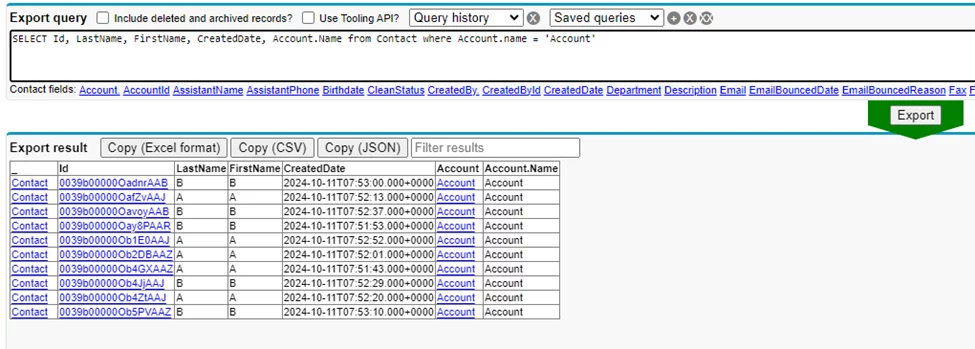
- Setting some conditions on the SOQL query on the Child Interface
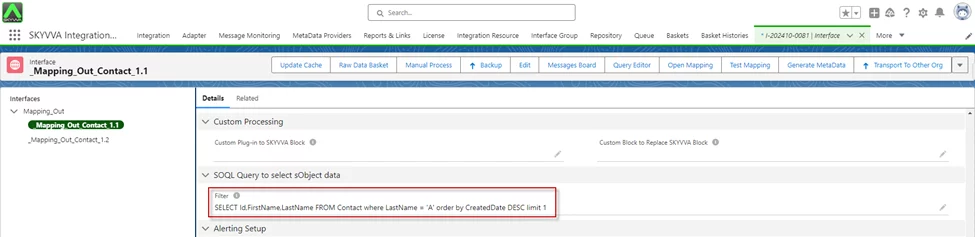
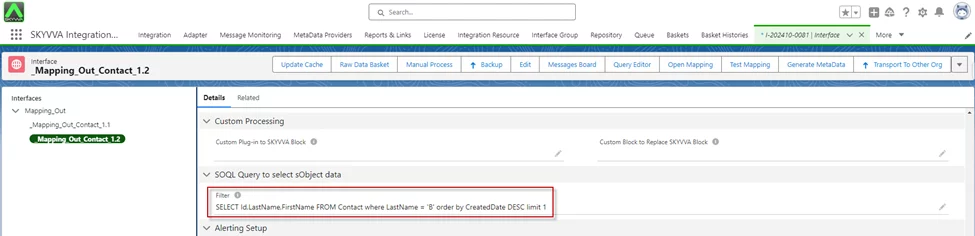
- Execute Callout record by Manual Process

- Message Monitoring
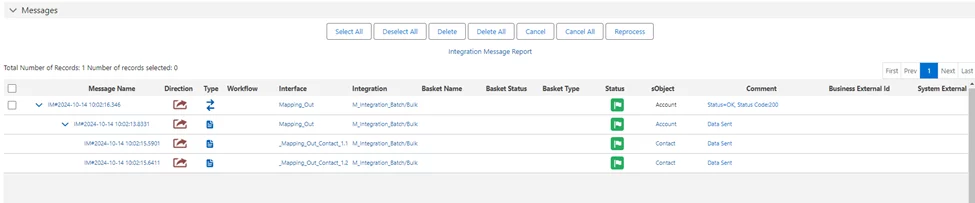
- Here is the payload JSON/XML
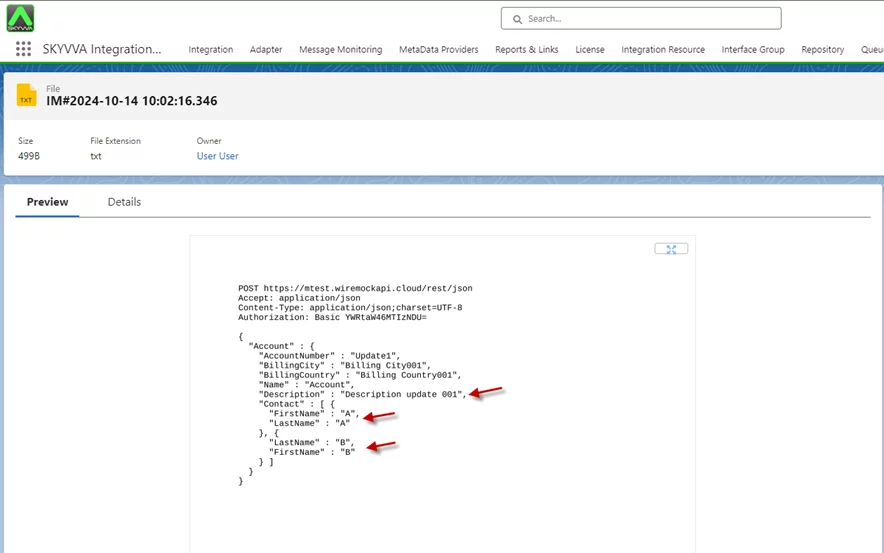
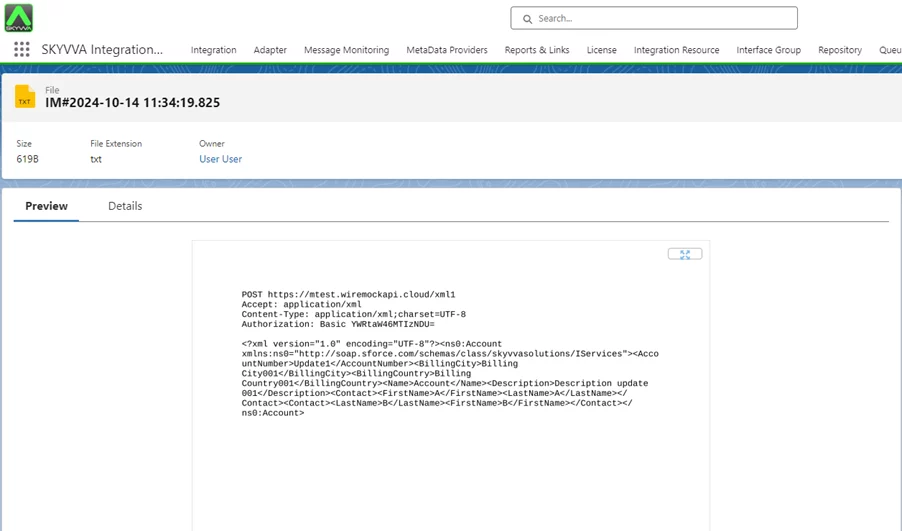
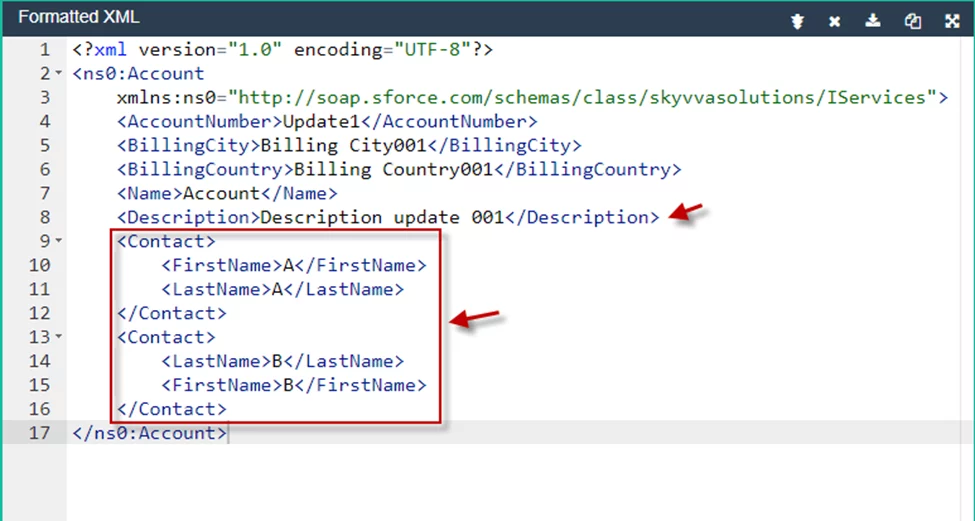
[su_box title=”Result:” box_color=”#00d9a6;” title_color=”#000000″]After selecting ‘Manual Process‘ for the callout record, the JSON payload will be generated. This payload is created according to the conditions defined in the Interface configuration.[/su_box]
Summary #
Now the user understands, this tutorial explains how to use the Copy Node and Copy Field functionalities in Skyvva integration. The Copy Node function allows you to clone a node and generate a payload with a new node or field added for a callout, without needing a new message type. It enables efficient data mapping and integration by duplicating nodes, ensuring consistency and flexibility in payload generation for various integrations within the SKYVVA app.


